
Video downloader - Story Saver
Video Downloader Story SaverSocial
4.78.92K Reviews
- Version
- 3.30.1
- Installs
- 50.00M
- Age Rating
- Everyone
Screenshots
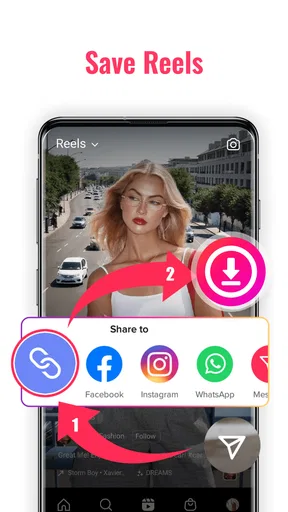
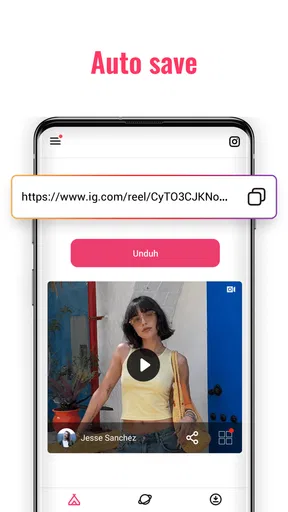
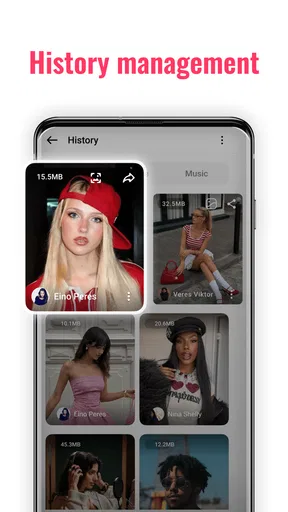
Our Review of Video downloader - Story Saver
 Analysis by Appyee
I tried Video downloader - Story Saver as a practical social-media utility rather than treating it as just another download button. It is a free Android app in the Social category, developed by Video Downloader Story Saver, and its main purpose is straightforward: save videos and stories for later use, then repost them when that makes sense. My overall impression is that it is most useful when I want a quick, repeatable way to move social content into a personal offline collection, but it is not equally comfortable for every user or every situation.
The app has a 4.8 average from around 1.4 million ratings and has passed 50 million installs, so it is clearly familiar to a large audience. It is rated for Everyone, runs on Android 7.0 and later, and the current version is 3.26.0. Those details make it accessible to many Android owners, although the experience still depends heavily on the phone, display, connection, and the way a person interacts with social-media content.
How the app feels to read and navigate
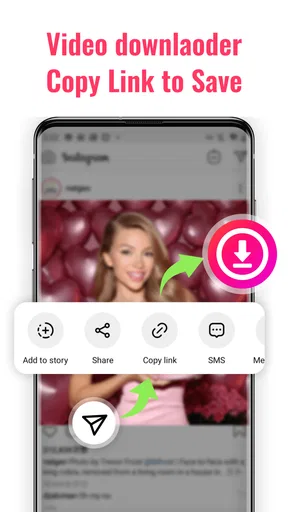
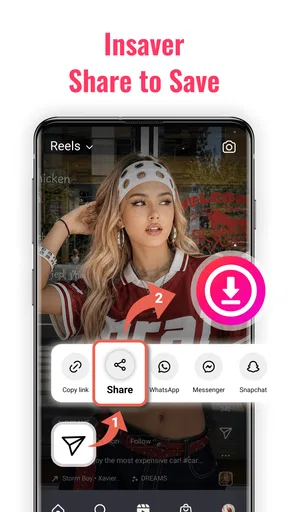
The first thing I noticed is that the app’s purpose is easy to understand. I do not have to learn a complicated editing system or manage a large project library before getting started. The central workflow is based on finding or sharing a social video or story with the downloader, saving it, and deciding what to do with the file afterward. That directness is helpful for people who prefer a small number of obvious actions.
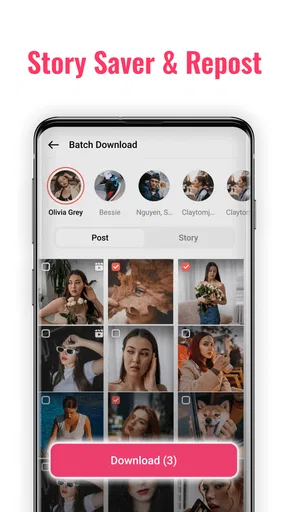
For everyday use, the most comfortable approach is to treat it as a focused tool rather than browsing aimlessly. I open it when I already know what I want to save, complete the download, and then leave. This reduces the amount of scrolling and visual searching involved. If I were helping a friend use it for the first time, I would recommend starting with one short video and learning the save-and-repost path before attempting a larger batch of content.
Readability is influenced by the phone’s own display settings. Text that looks comfortable on a large screen may feel crowded on a smaller device, especially when the system font is enlarged. Someone with low vision should check whether Android’s display size and font controls make the interface easier to follow, but increasing them can also change how much information fits on screen. That is a general Android trade-off rather than a guaranteed app feature.
I also found that clear navigation matters more than the number of available actions. A downloader can become frustrating when saving, previewing, sharing, and reposting are presented as nearly identical choices. My advice is to pause after a download and confirm which action is selected instead of tapping quickly through a familiar routine. That small habit helps avoid sharing the wrong item, particularly when several saved clips look alike.
The app’s social focus gives it a different rhythm from a file manager. A file manager is better when I need folders, detailed file names, sorting, or long-term organization. This app is more convenient when the starting point is a story or social video and the immediate goal is saving it. In other words, it works best at the beginning of the workflow, while a conventional gallery or file manager may be better for the final organization.
What the simple workflow does well
One useful strength is the reduced mental load. I do not need to open a full video editor just to keep a clip for later reference. That makes the app practical for collecting visual reminders, saving a recipe demonstration, keeping a travel suggestion, or preserving a creator’s public post for personal viewing when the platform’s normal feed is too fleeting.
A less obvious advantage is separation between collecting and reposting. I can save something first and decide later whether it is worth sharing. That is better than immediately reposting every interesting clip, because it gives me time to check the source, consider the context, and decide whether the content still makes sense outside the original story or feed.
There is also a useful distinction between personal convenience and public redistribution. The app makes the technical part of saving easier, but it does not automatically make reposting appropriate. I still need to think about the creator’s rights, private material, platform rules, and whether credit is needed. The easiest button is not always the most responsible next step.
People who rely on strong visual cues may appreciate the directness of a video-centered interface, while users who need spoken guidance or highly predictable focus movement may find the experience less comfortable. I would not choose it solely on the assumption that a high store rating means it will suit every accessibility need. Ratings show broad popularity, not a personal guarantee about screen-reader behavior, contrast, focus order, or caption support.
Motor, sensory, and situational use
Motor access depends on how many precise taps are required and whether the controls are easy to hit. Downloading a single item is generally a more manageable task than repeatedly selecting tiny controls across a busy social screen. For someone with tremors, limited dexterity, or fatigue, I would suggest using the phone with one hand only when the device is stable and the intended action is clear. A stand, larger display, or external accessibility control may make the process less tiring, depending on the person’s setup.
Accidental actions are a real consideration. Saving and reposting are not the same thing, and a quick tap in the wrong place can have a wider social consequence than simply opening the wrong menu. I prefer to review the selected content before sharing it. This is especially important when the saved material includes personal conversations, recognizable people, or content that was meant to disappear with a story.
For users sensitive to motion, rapid video previews can be uncomfortable even when the app itself is simple. The safest approach is to avoid opening multiple previews at once and to use the phone’s system-level motion or animation preferences where they apply. I would also keep the volume low until I know whether a clip contains sudden sound. Those adjustments do not change the downloader, but they can make short sessions less tiring.
Audio access deserves attention too. A person who is deaf or hard of hearing may not receive the full meaning of a saved clip if important information is delivered only through speech or sound. The app’s purpose is to preserve the media, not to guarantee captions, transcripts, or audio descriptions. If understanding matters, I would look for text in the original post or use a separate accessibility tool after saving the file.
Likewise, a blind or low-vision user may need to test the app with the preferred screen reader before relying on it. The basic concept is easy to explain verbally, but that does not prove every button, preview, or status message is exposed clearly to assistive technology. A sighted helper may make initial setup easier, though the best long-term choice is still an app that fits the user’s own navigation method.
Situational access is where this app can be surprisingly useful. I can imagine using it while commuting with an unreliable connection, preparing a presentation from public social examples, or collecting short clips for a private reference folder. Saving content ahead of time reduces dependence on a live feed, which is helpful when reception is poor or when I want to avoid repeatedly searching for the same post.
At the same time, downloading is not automatically a solution for limited storage or data. Video files can accumulate quickly, and a phone with little free space may become harder to manage after repeated saves. I would periodically review the gallery or download location, remove duplicates, and keep only material that still has a purpose. This is one of the most important practical habits because a convenient collector can quietly become a clutter problem.
Battery life is another situational factor. Short clips are less demanding than long or high-quality videos, but repeated browsing, previewing, and downloading can still consume power. If I am traveling, I would save only the items I genuinely need rather than attempting to archive an entire account. That approach also keeps the library easier to search later.
Everyday workflows where it makes sense
Imagine a friend sends me a story showing a repair technique I want to remember. Instead of searching for it again later, I can save it while the conversation is fresh, label or organize it afterward using my normal gallery tools, and watch it when I have time. The app is useful here because it shortens the distance between seeing something helpful and keeping it available.
Another realistic case is a small community group collecting public clips for an event recap. I would use the downloader only after checking that the people involved are comfortable with the reuse. Then I would keep the saved files separate from personal photos, note the original creators, and use a dedicated editor if the final project needs trimming or captions. The app handles collection, not the entire production process.
For a parent or caregiver, saving a public instructional clip for offline reference may be convenient, but I would avoid treating downloaded media as automatically suitable for children. The Everyone rating describes the app’s content classification, not every video that a user may download through it. The surrounding social content still needs individual judgment.
People who manage social accounts may also find the repost function useful for quick sharing, but speed should not replace review. I would check whether the original creator is credited, whether the clip has changed context, and whether reposting is allowed. If the goal is professional publishing, a social-media management tool with approval steps may be a better choice than a lightweight downloader.
Where the alternatives are stronger
The usual alternative is the platform’s own save or bookmark feature. That option is often better when I only need to remember a post and do not need an offline copy. It avoids creating extra files and may preserve the original context more cleanly. Video downloader - Story Saver becomes more attractive when offline access or a local copy is genuinely important.
A browser-based downloader may be preferable for someone who does not want another app installed, but browser workflows can be less consistent on a phone and may involve more copying, switching, or confusing pages. A dedicated gallery is stronger for viewing and sorting after the download. A full editor is stronger for trimming, adding captions, or preparing a polished post. Choosing between them depends on whether the main problem is saving, organizing, or producing.
I would also be cautious with any alternative that promises to handle every social platform or every private post. Convenience claims can encourage risky behavior, and a tool should never be used to bypass someone’s privacy expectations. This app is best treated as a personal utility for content I am allowed to save, not as permission to copy anything visible on a screen.
Remaining barriers before making it a daily tool
The biggest barrier is not the basic download action; it is everything around it. Users still need to understand where files go, how to find them later, how much storage they occupy, and whether reposting is appropriate. Someone who expects automatic organization, advanced search, or professional media management may feel that the app stops too early in the workflow.
In-app purchases range from $0.09 to $119.99 per item, so I would pay attention to any purchase screen and make sure I understand what is being offered before confirming. The app itself is free, but free installation does not mean every optional item has no cost. This matters particularly for users who share devices, use parental controls, or want to avoid unexpected spending.
The developer name, Video Downloader Story Saver, makes the app’s purpose clear, but that clarity does not remove the need to check the exact app identity before installing. Social utilities often have similar names and icons. I would verify the developer and current version shown in the official Android store, especially if I am setting up the app for someone who may have difficulty distinguishing similar listings.
It supports Android 7.0 and later, which covers many older phones, but older hardware may still feel slower when handling video. A device with limited storage, a small screen, or an aging battery can make the experience less pleasant than the compatibility line alone suggests. I would test one file first rather than assuming the phone will handle a large collection comfortably.
Privacy and consent are also part of inclusive design. A person may be technically able to save a video but still be placed in an uncomfortable position if the content includes a friend, a child, or a private event. Clear personal rules help: save only what I have a legitimate reason to keep, avoid redistributing private material, and delete files that no longer serve that reason.
My inclusive verdict
I see Video downloader - Story Saver as a focused, approachable option for Android users who want a direct route from social video to local storage. Its free entry point, Everyone rating, broad Android compatibility, and familiar workflow make it easy to consider. The popularity reflected in its 4.8 average and more than 50 million installs also suggests that the basic idea resonates with many people.
My recommendation is strongest for users who already know what they want to save and who are comfortable checking files, storage, and sharing choices themselves. It can support offline viewing, personal reference collections, and quick preparation for a later repost, provided the material is appropriate to reuse. The most effective workflow is deliberate: save selectively, review the result, organize it outside the downloader when necessary, and remove old files.
I would not make it my first choice for someone who needs advanced library management, professional editing, guaranteed screen-reader compatibility, captions, or a completely hands-off privacy workflow. A platform bookmark, gallery, editor, or accessibility-tested alternative may fit those needs better. I would also skip it if the main goal is downloading everything without considering consent or creator rights.
For me, the app succeeds when its limited purpose is an advantage. It does not need to replace every social tool; it only needs to make saving a useful clip less awkward. The best reason to use it is controlled, purposeful offline access—not automatic collecting. With that expectation, and with a little care around accessibility, storage, purchases, and responsible reposting, it is a practical addition for the right Android user.
Privacy and Permissions
See what permissions an app requests and how it handles your data.
- Phone
- read phone status and identity
- Photos/Media/Files
- read the contents of your USB storage, modify or delete the contents of your USB storage
- Storage
- read the contents of your USB storage, modify or delete the contents of your USB storage
- Wi-Fi connection information
- view Wi-Fi connections
- Device ID & call information
- read phone status and identity
- Other
- view network connections, full network access, set wallpaper, draw over other apps, control vibration, prevent device from sleeping, modify system settings, Google Play license check, read Google service configuration
Verdict
Strengths of Video downloader - Story Saver
- Downloads stories and videos directly to your device.
- Simple interface that is easy for beginners to navigate.
- Supports saving media for offline viewing.
- Quick access to recently downloaded content.
- Useful for creating personal backups of shared media.
Limitations of Video downloader - Story Saver
- May display ads during browsing or downloading.
- Downloaded content can use significant storage space.
- Some videos may fail due to platform changes.
- Privacy permissions should be reviewed before use.
- Reposting saved content may violate creator rights.
Similar Picks in This Category
View All
Meta Platforms, Inc.4.6

Instagram4.0

Likee-Live, Chat & Party Games
Likeme Pte. Ltd.4.4

Facebook Lite
Meta Platforms, Inc.4.5

TikTok - Videos, Shop & LIVE
TikTok Pte. Ltd.4.0

Moj: Free Short Drama & Reels
ShareChat4.1
Frequently Asked Questions
What is Video downloader - Story Saver used for?
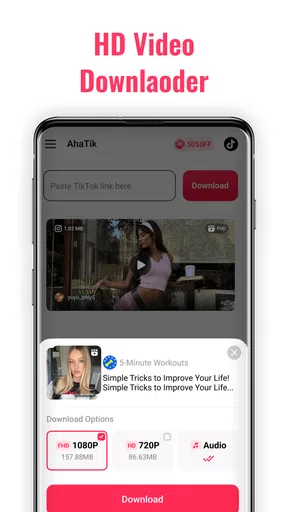
Video downloader - Story Saver is designed to help users save videos, photos, stories, and other media from supported social platforms for later viewing. After opening the app, you generally paste a shared link or browse supported content, depending on the available features. Its usefulness depends on which platforms and media formats are currently supported, so check the app description before downloading.
Is Video downloader - Story Saver free to download and use?
The application may be available as a free download, but some features can be limited by advertising, usage restrictions, or optional in-app purchases. Before installing, review the current store listing for subscription details, premium tools, and any payment terms. Also remember that downloading the app for free does not necessarily mean every downloader or story-saving function is available without limitations.
How do I save a video or story with Video downloader - Story Saver?
The usual process involves copying the link to a supported video or story, opening Video downloader - Story Saver, and allowing the app to detect or process the link. Some versions may also provide a built-in browser or sharing option. The exact steps can vary after updates, and private, expired, deleted, or unsupported content may not download successfully.
Is it legal and safe to download content using this app?
The app can be useful for saving content for personal, offline viewing, but downloading does not automatically grant permission to reuse or redistribute someone else’s work. Always respect copyright, privacy, and the terms of the social platform involved. Avoid entering sensitive login details into unofficial tools, review requested permissions carefully, and download the application only from a trusted app store.
Why might a download fail or the saved file not appear in my gallery?
A download can fail because the link is invalid, the content is private or unavailable, the platform has changed its restrictions, or the app does not support that media type. Storage permissions, insufficient free space, and unstable internet access can also cause problems. Check the app’s download folder and device permissions, then retry with publicly accessible content and the latest app version.
